Wallets
To start using the Cauldron DEX interface, you first need to connect a wallet.
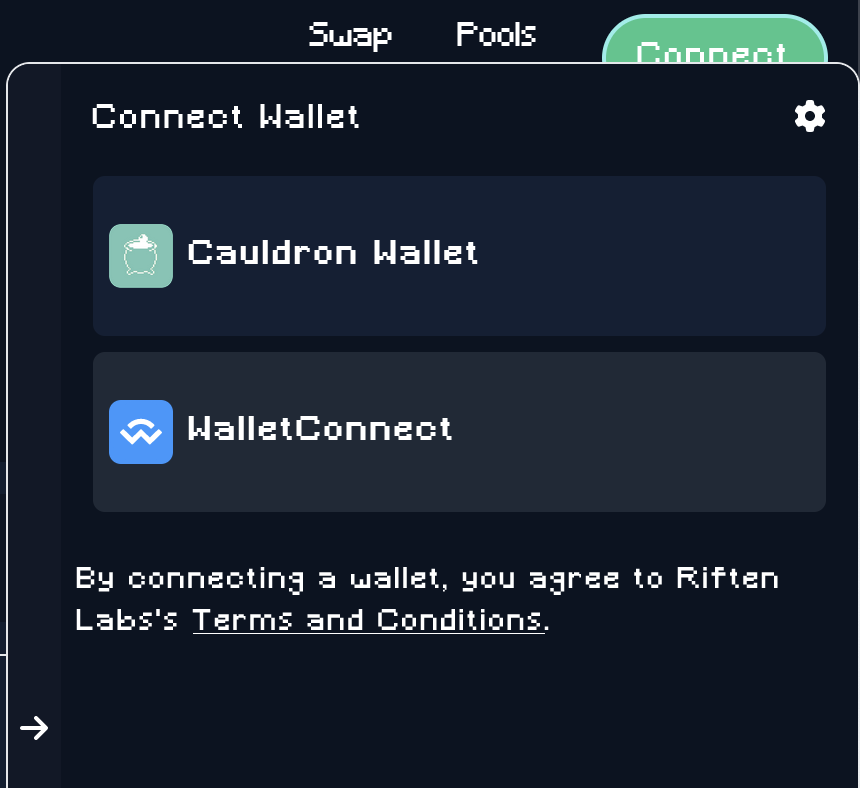
In the Cauldron interface, click on Connect and select a wallet. After selecting a wallet, you can start using Cauldron.
WizardConnect
WizardConnect is a wallet connection protocol developed by Riften Labs. It is the recommended option when available, as it supports HD wallets and is faster and more reliable than WalletConnect.
The following wallets currently support WizardConnect:
| Wallet name | Android | iPhone | OS X | Windows | Browser | BCMR tokens | CRC20 tokens |
|---|---|---|---|---|---|---|---|
| Selene | ✅ | ✅ | ✖️ | ✖️ | ✅ | ✅ | ✖️ |
| Paytaca | ✅ | ✅ | ✖️ | ✖️ | ✅ | ✅ | ✖️ |
Note: None of these wallets are associated with Cauldron or Riften Labs.
WalletConnect
WalletConnect is a protocol for connecting an external wallet. Any wallet that supports Bitcoin Cash and WalletConnect can be used.
If your wallet supports WizardConnect, that is the recommended option — see the WizardConnect section above.
The following wallets are currently known to support this:
| Wallet name | Android | iPhone | OS X | Windows | Browser | BCMR tokens | CRC20 tokens |
|---|---|---|---|---|---|---|---|
| Cashonize | ✖️ | ✖️ | ✖️ | ✖️ | ✅ | ✅ | ✖️ |
| Paytaca | ✅ | ✅ | ✖️ | ✖️ | ✅ | ✅ | ✖️ |
Note: None of these wallets are associated with Cauldron or Riften Labs.
Cauldron Wallet
This is a wallet in your browser.
When you select this, a wallet will be generated in your browser you'll be required to write down a backup phrase of 12 words (mnemonic).
Derivation path
The Cauldron wallet uses the standard Bitcoin Cash BIP44 path m/44'/145'/0', with separate child chains for receive, change, and DeFi addresses.
See HD Wallet & Derivation Paths for full details.